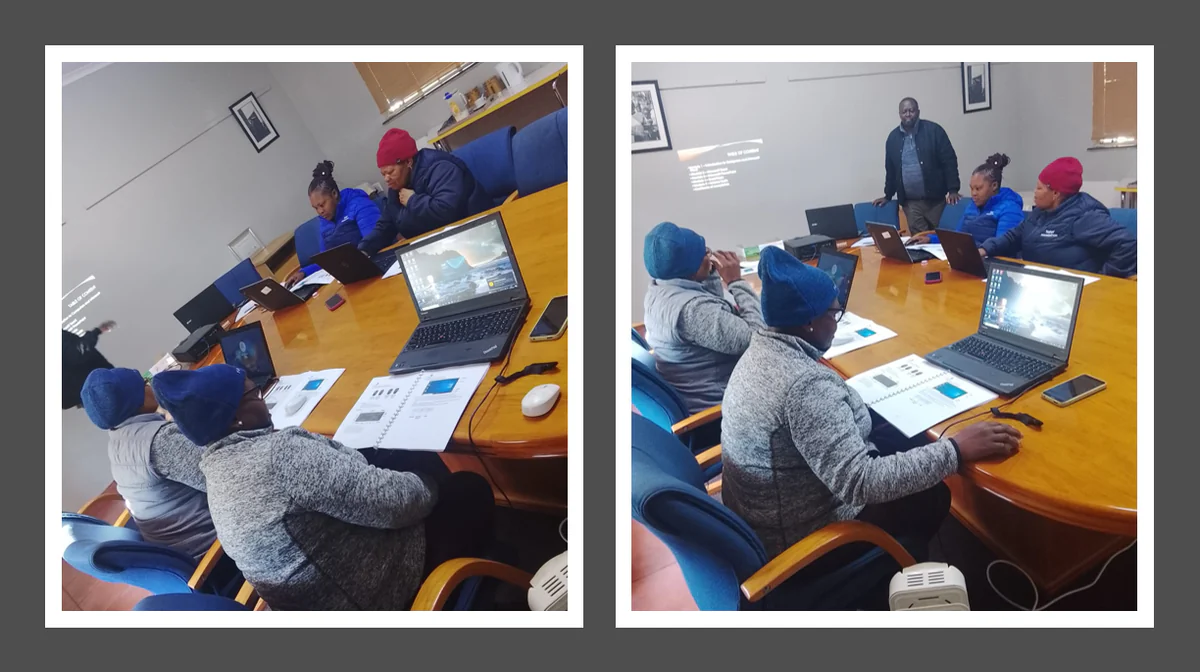
The Basic Computer Training programme was successfully completed, equipping Topsy Foundation students with essential digital literacy and computer skills required for education, employment, and everyday life.
During the training, students received both theoretical instruction and hands-on practical experience in the following areas:
- Microsoft Word
- Microsoft Excel (Spreadsheets)
- Microsoft PowerPoint
- Email communication
- Internet browsing and online research
Practical Tasks Completed
Students successfully completed the following practical activities:
- Microsoft Word: Created and formatted professional documents, inserted tables and images, adjusted page layouts, and saved and printed documents.
- Microsoft Excel: Created spreadsheets, entered and formatted data, performed basic calculations using formulas (SUM and AVERAGE), and generated simple charts.
- Microsoft PowerPoint: Designed and presented professional slide presentations using themes, images, transitions, and animations.
- Email: Created email accounts (where applicable), composed and sent emails, attached documents, replied to messages, and practised professional email etiquette.
- Internet: Conducted online searches, accessed educational resources, downloaded documents safely, and learned basic internet safety and responsible online behaviour.
Training Outcome
The training was a great success, with students demonstrating confidence and competence in using essential Microsoft Office applications and internet tools. Through practical exercises, participants gained valuable digital skills that will enhance their academic performance, improve employability, and prepare them for the modern workplace.
Topsy Foundation is commended for investing in the digital empowerment of its students and creating opportunities for lifelong learning and personal development.